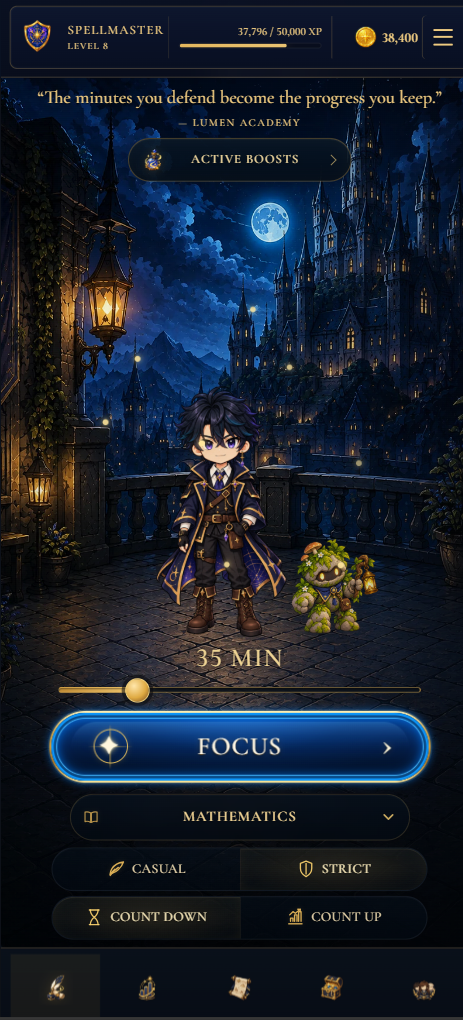
The timer should fit the task—not the other way around.
A five-minute start, a practice exam and an open-ended research session ask for different kinds of structure. Lumen gives you four deliberate combinations instead of forcing every task into the same routine.
Countdown
Set a realistic finish line when you know how much time is available. Ideal for revision blocks, practice questions and deadline-driven work.
Count up
Begin immediately when the work is open-ended. Useful for reading, research, planning and tasks where duration is difficult to predict.
Casual or strict
Choose a lighter session when flexibility matters, or stronger commitment when you want more resistance against leaving the task.
A simple ritual that makes starting easier.
Name one outcome
Replace “study chemistry” with a finishable result such as “complete questions 1–8 and mark the errors.”
Choose the smallest useful block
Set enough time to make progress without making the session difficult to begin. You can continue when the block ends.
Remove obvious exits
Close unrelated tabs, silence interruptions and put the material you need within reach before pressing Focus.
Review the result
Check what moved, record the session and decide the first action for next time while the context is still fresh.
A timer becomes useful when it remembers.
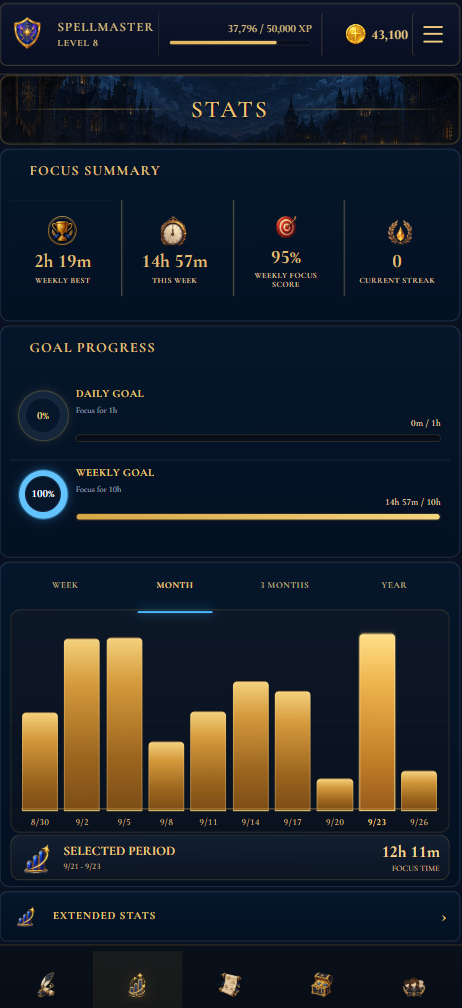
See where your focused time actually goes.
Lumen connects completed sessions to subjects, daily and weekly goals, streaks and longer-term statistics. The result is a practical record—not a judgement of how productive you felt.
- Compare time across every subject.
- Review daily, weekly and longer-term patterns.
- Use real history to adjust the next plan.
“Starting is the first win. The timer exists to make that first step smaller.”Lumen focus principle
Before you start the clock.
Is the study timer free?
Yes. The production web experience and its core study timer are free to use.
Do I need to install anything?
No. Lumen runs in a modern browser. You can optionally add it to your home screen for a more app-like experience.
Can I track different subjects?
Yes. Choose a subject before each session so your statistics show where your focused time is going.
Is this a Pomodoro timer?
You can use Pomodoro-style intervals, but Lumen does not lock you into one duration. Choose a countdown that fits the work or count upward when a fixed block is not useful.